Integration through the Oracle Cloud Console
Overview
To monitor Oracle Cloud Infrastructure (OCI) resources in Motadata ObserveOps (formerly known as AIOps), you need to retrieve the following credentials from the Oracle Cloud Console:
- Tenancy OCID
- User OCID
- Private Key
- Fingerprint
This guide walks you through the steps to retrieve each of these from the Oracle Cloud Console.
The Oracle Cloud user account used for integration only requires read-only permissions to collect metrics and resource data.
Step 1: Retrieve the Tenancy OCID
Log in to the Oracle Cloud Console.
Click on the Profile icon in the top-right corner of the screen.
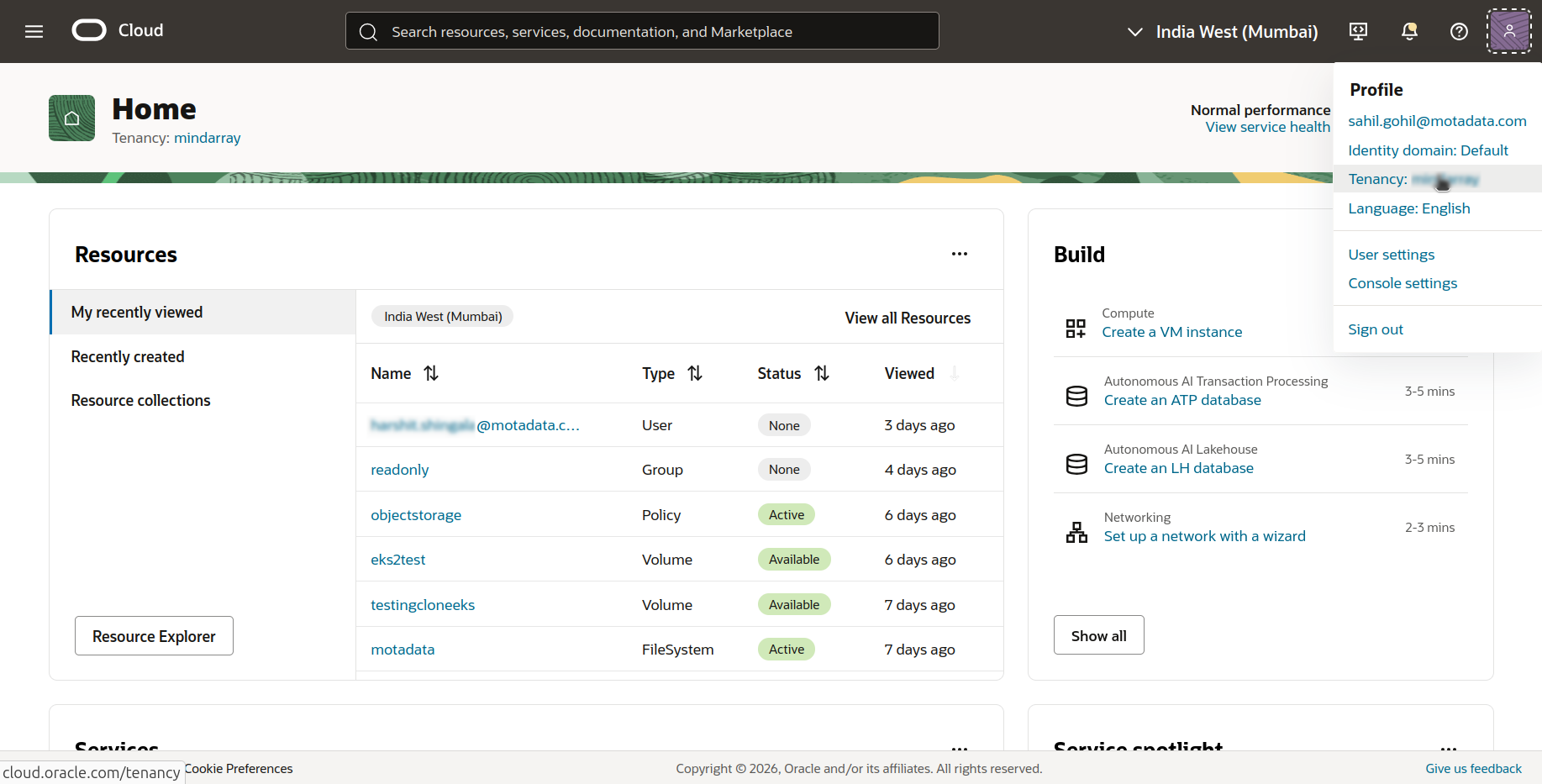
Select Tenancy from the drop-down menu.
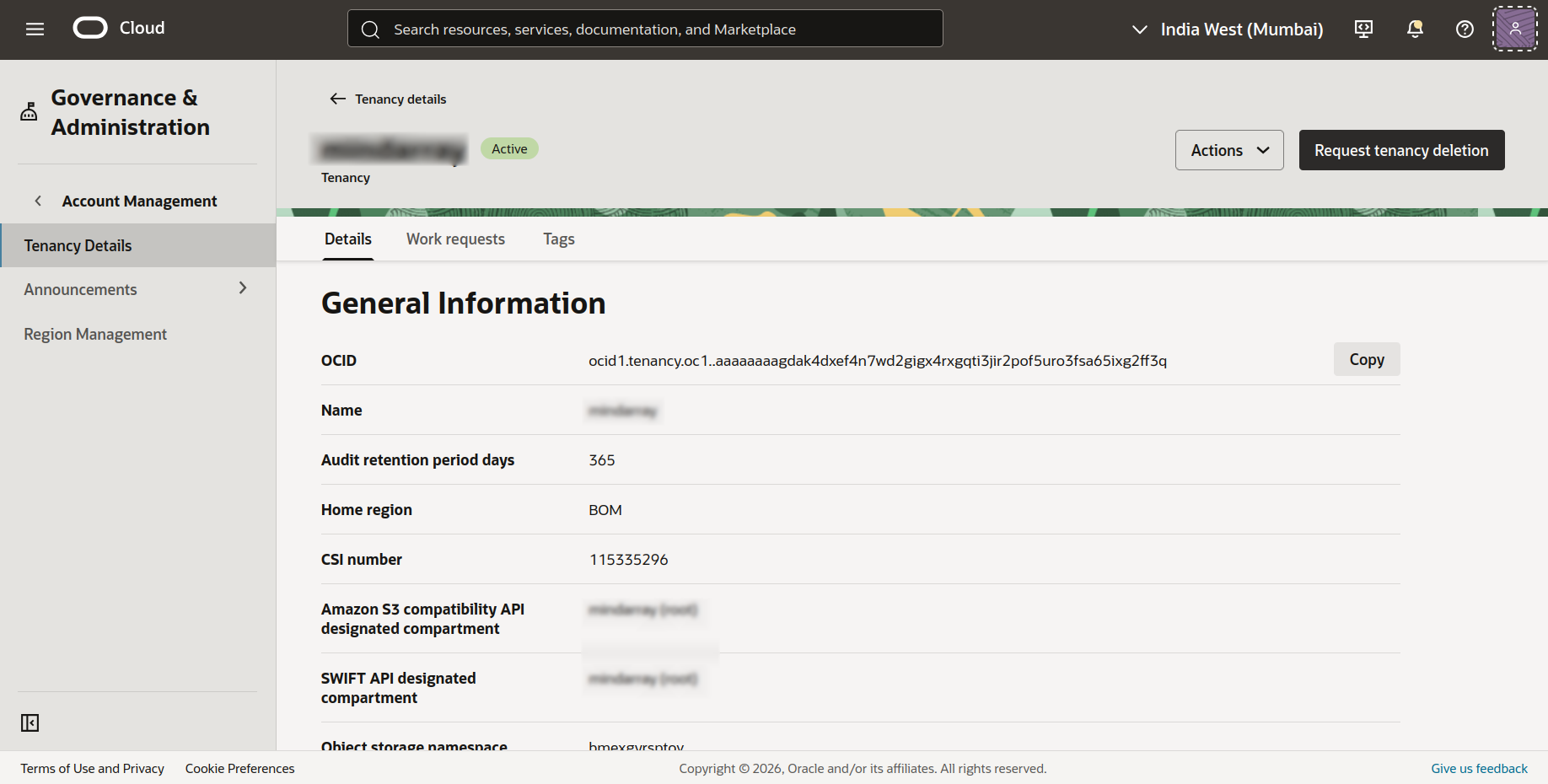
On the Tenancy Details page, locate the OCID field and click Copy.
Save this value, this is your Tenancy OCID.
Step 2: Retrieve the User OCID
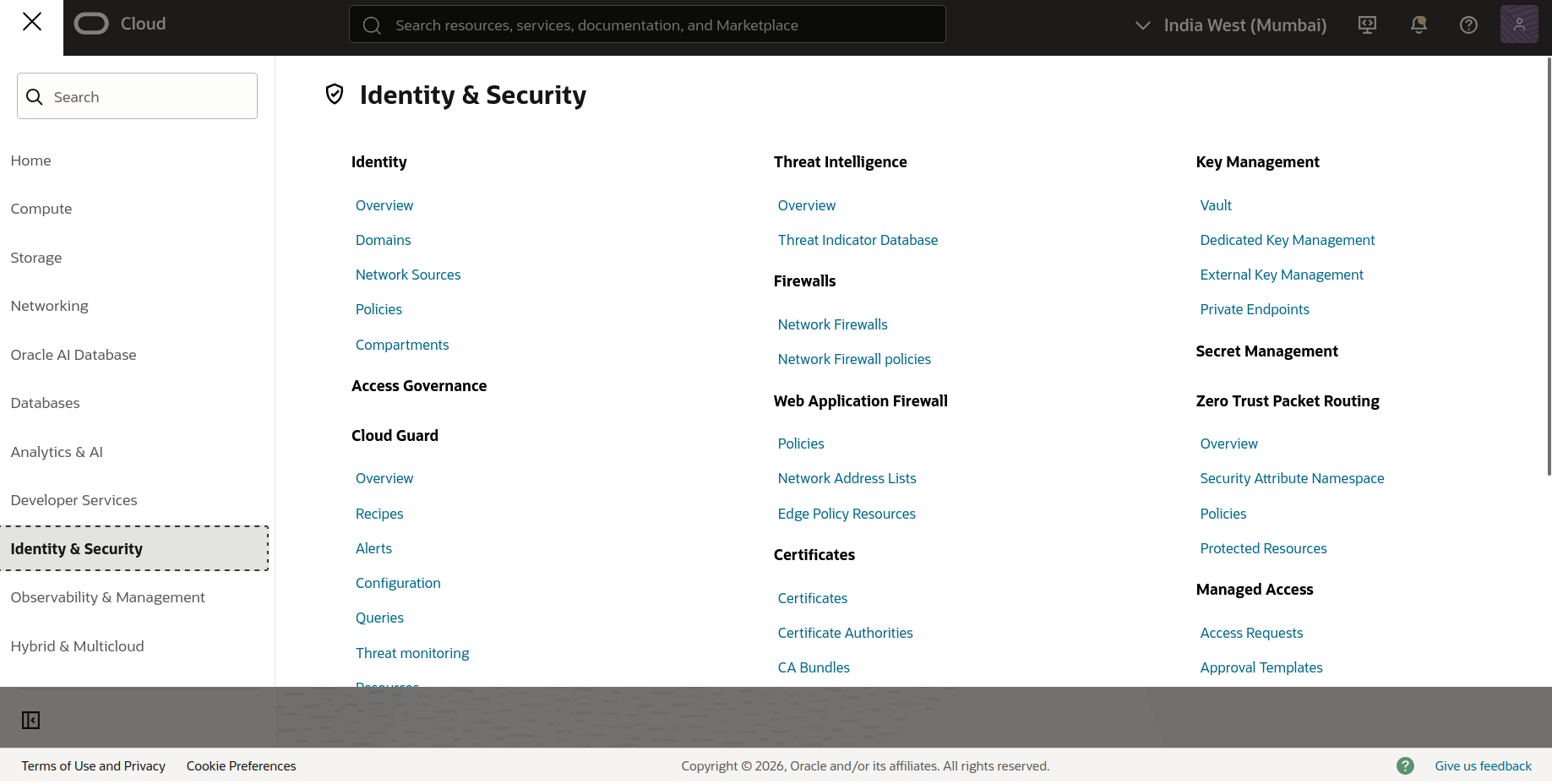
In the Oracle Cloud Console, navigate to the top-left Navigation Menu.
Go to Identity & Security and select Domains.
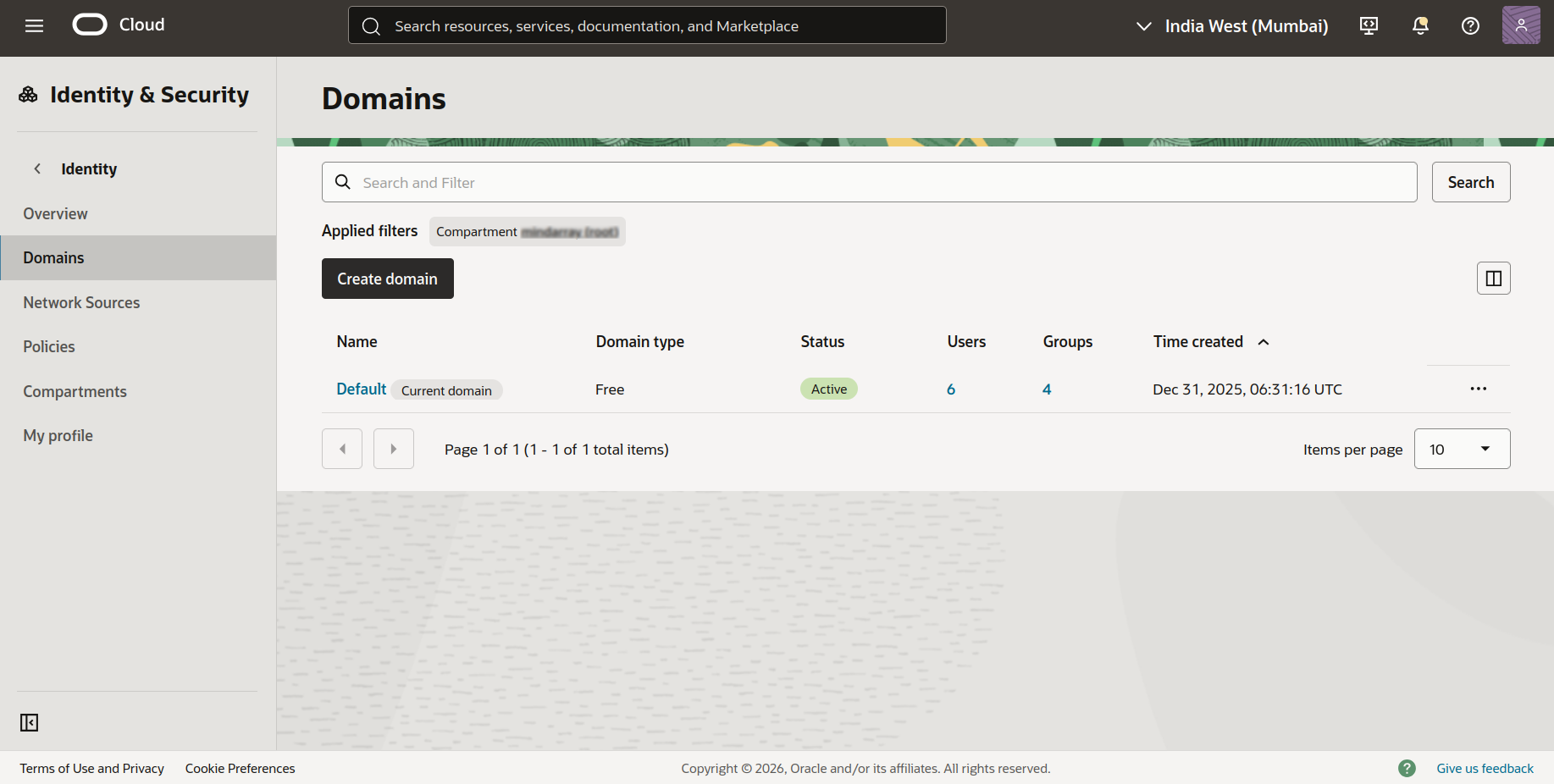
- Select the domain your user belongs to.
- In the left-side panel, select Users.
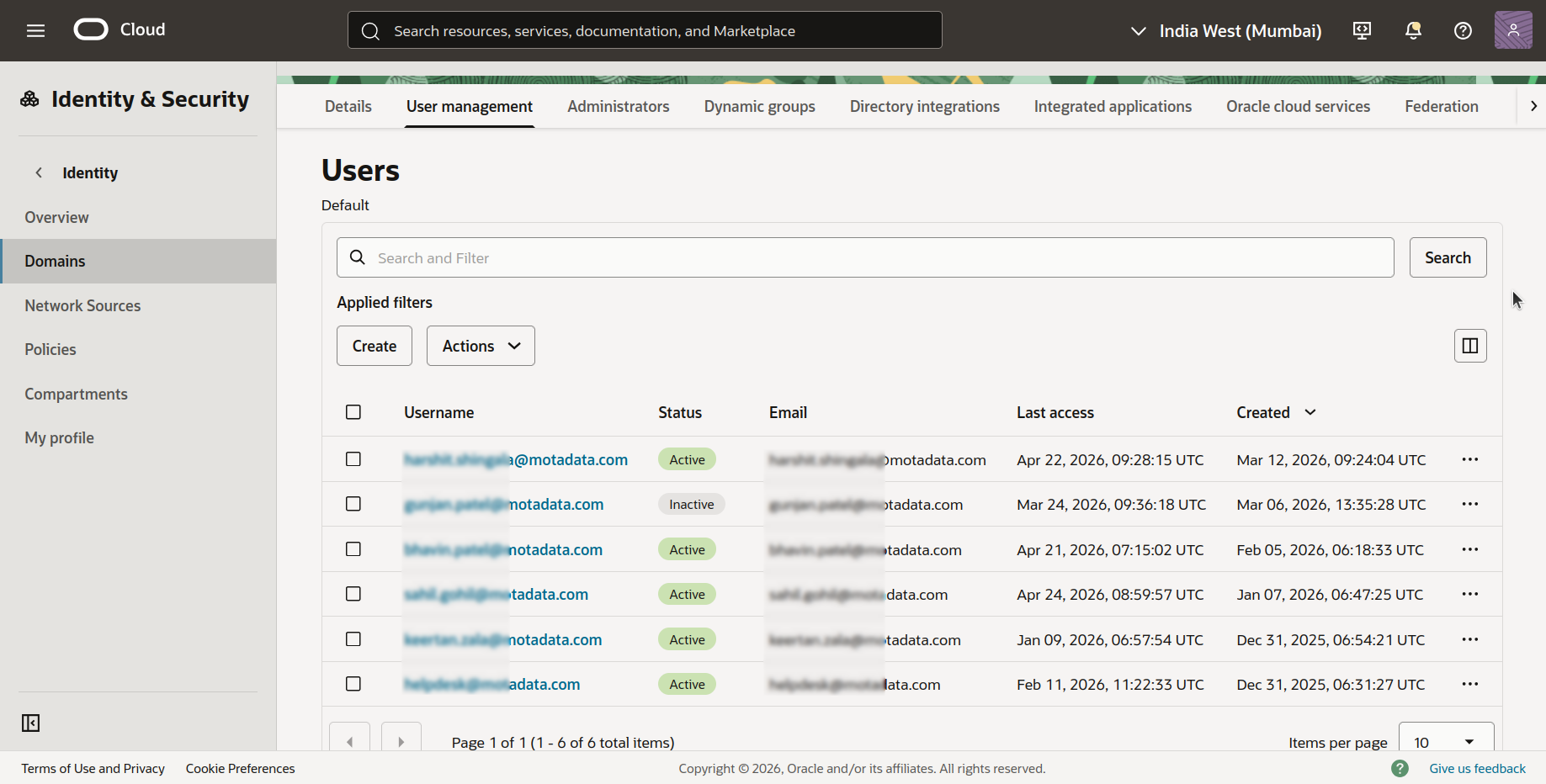
Click on the user account you want to use for the ObserveOps integration.
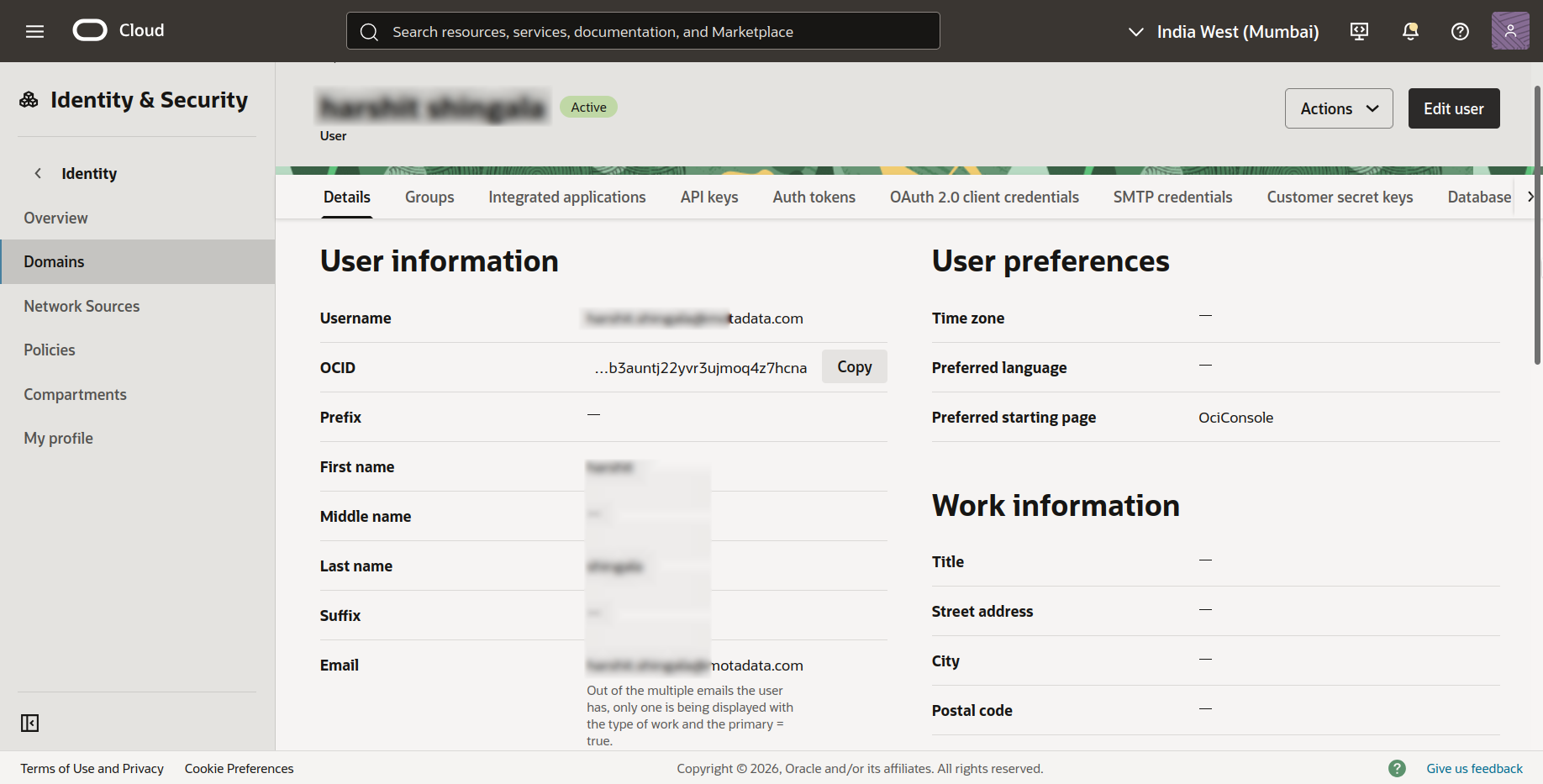
On the User Details page, locate the OCID field and click Copy.
Save this value, this is your User OCID.
Step 3: Generate and Retrieve the API Key (Private Key and Fingerprint)
On the User Details page (from above Step 2), select the API Keys tab (the third tab in the user details panel).
Click Add API Key.
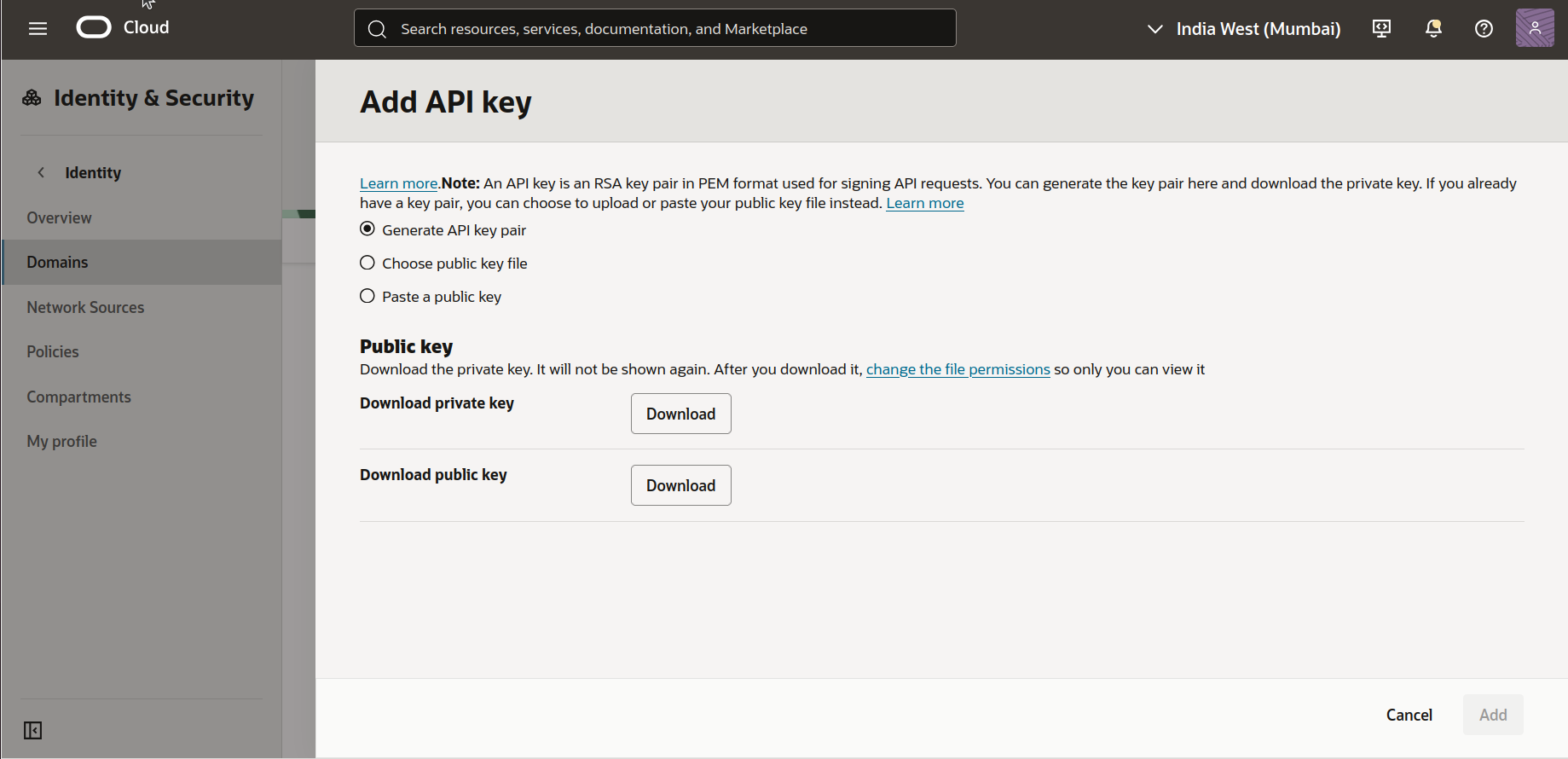
In the Add API Key dialog, select Generate API Key Pair.
Click Download Private Key to download the
.pemfile to your system.
Save the private key file securely. You will not be able to download it again after closing this dialog.
Click Add to complete the API key creation.
The Fingerprint for the newly created API key is now displayed in the API Keys list on the User Details page. Copy and save this value, this is your Fingerprint.
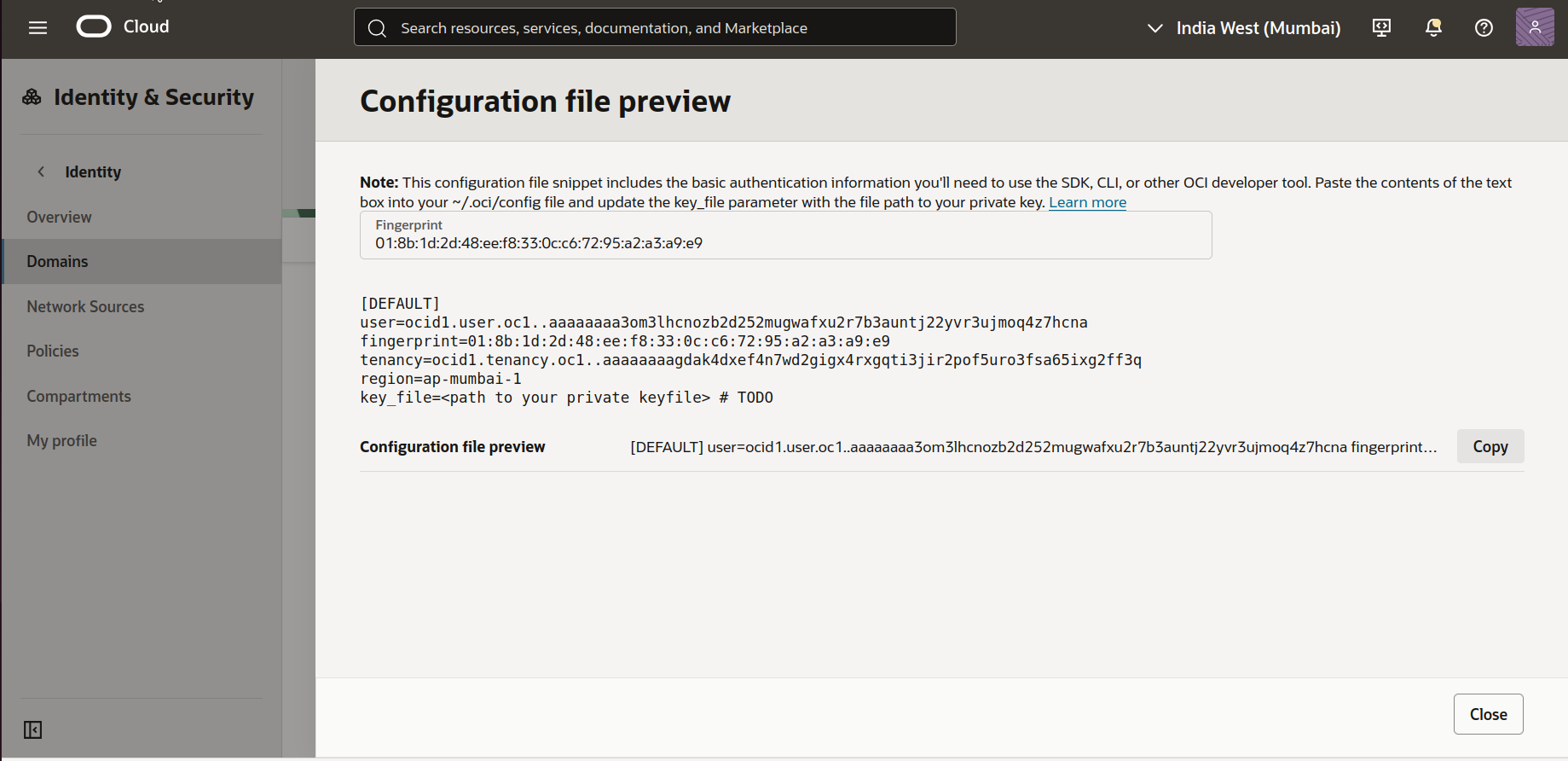
Summary
You now have all four credentials required to integrate Oracle Cloud with Motadata ObserveOps:
| Credential | Where to Find It |
|---|---|
| Tenancy OCID | Profile menu → Tenancy → OCID |
| User OCID | Identity & Security → Domains → Users → User Details → OCID |
| Private Key | User Details → API Keys → Add API Key → Download Private Key |
| Fingerprint | User Details → API Keys → Fingerprint column (after key creation) |
Use these values when creating a credential profile for Oracle Cloud in ObserveOps. Refer to Adding Cloud Devices for Monitoring to continue.